Step 4 of 9
S3 Compatible - Google Cloud
Choose your storage destination
 Local / NAS
 FTP
FTP
 Amazon S3
 S3-compatible storage
 Google Cloud Storage
 Wasabi
 Aruba Cloud
 Dropbox
 Google Drive
 OneDrive
 OneDrive for Business
 Azure Storage
 Box
Box
 Backblaze B2
Contabo and Internxt use the S3 Compatible - Custom setup. Use the endpoint and credentials supplied by your provider.
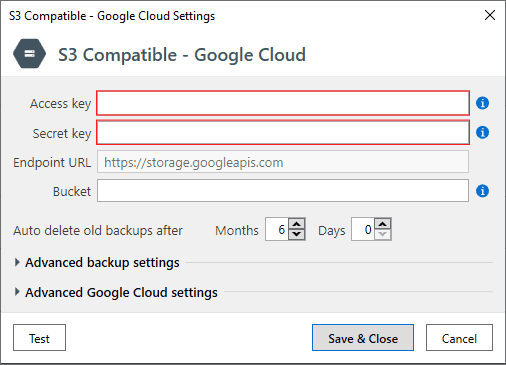
If you chose to send backups to S3 Compatible - Google Cloud - you will see this form.
On the S3 Compatible - Google Cloud Settings form you have to specify Access key and Secret key, these settings can be found in the Interoperability tab at the Google Cloud Storage settings.
A Bucket name can be found in the Storage browser in the Name column.